Summary - AI Note Taker
Labhouse MobileProductivity
4.61.19K Reviews
- Version
- 2.23.1
- Installs
- 1.00M
- Age Rating
- Everyone
Screenshots
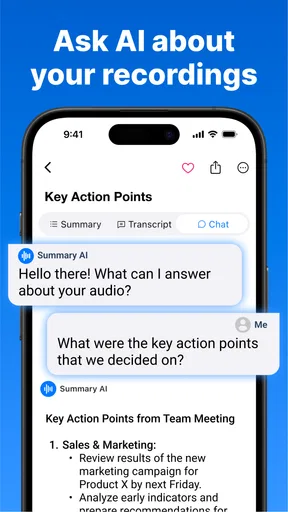
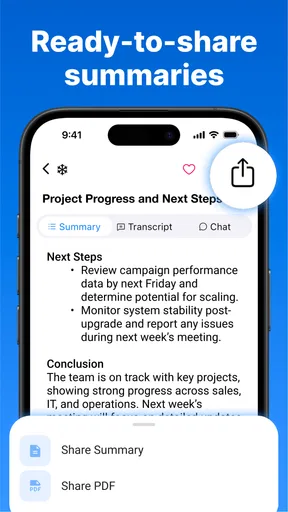
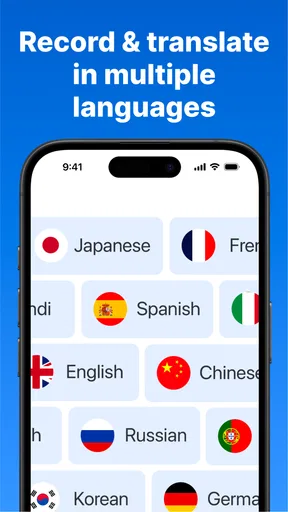
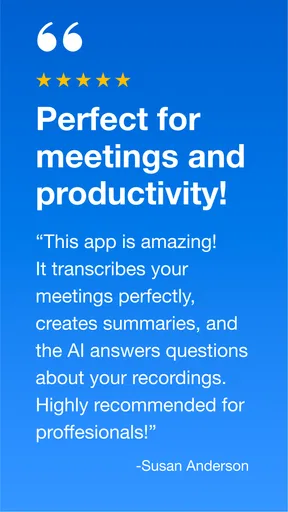
Our Review of Summary - AI Note Taker
 Analysis by Appyee
When I first tried to capture a long conversation without losing the thread, I wanted a tool that could handle the rough record while I stayed present. Summary - AI Note Taker is a free productivity app from Labhouse Mobile that turns recorded speech into text and then helps condense it into meeting notes. I see its value less as a replacement for thinking and more as a way to leave a conversation with something useful to review.
What to expect from a speech-first note app
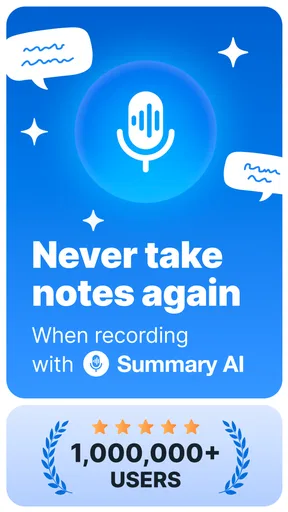
The main idea is straightforward: record audio, get a transcription, and use a summary as a quicker route back to the important points. That makes the app a natural fit for meetings, lectures, interviews, and personal brainstorming sessions where typing continuously would interrupt listening. Its audience rating averages 4.6 from around 34,000 ratings, and it has passed 500,000 installs, which suggests many people are using it for this kind of capture.
It is worth setting expectations before relying on any automatic transcript. A transcript is a working record, not a guarantee that every name, technical term, or overlapping comment will be right. I’d treat the summary as a helpful first pass and check it against the text or audio before acting on anything consequential. That small habit makes the output more dependable without taking away the convenience.
The app is free to install and is rated for Everyone. It is currently version 2.10.0, and its stated minimum operating-system requirement is 7.0. Some in-app purchases are available, with listed item prices ranging from $8.99 to $79.99. I’d explore the basic workflow first and decide whether the app earns a place in my routine before paying for anything.
Getting started without overthinking setup
For a first session, I’d choose a quiet, low-stakes conversation rather than an important client call or a lecture that cannot be repeated. Give the phone a stable spot close to the main speaker, check that the recording has started, and let the conversation run naturally. This tests the essential workflow without asking you to reorganize how you take notes.
Before recording other people, consider whether they should know and whether your workplace, school, or local rules allow it. I would also avoid capturing confidential discussions until I understood how I wanted to handle and share the resulting notes. These are practical recording habits, not a reason to avoid the app; they help keep a useful tool from creating an awkward situation.
After the session, read the transcript before treating its summary as final. Correcting a person’s name or a key phrase at this point can prevent a small transcription error from becoming a misleading takeaway. If the conversation contains several decisions, I’d make a short list of the ones that need follow-up while the context is still fresh.
Turning a first recording into useful notes
A good first success is not simply seeing text appear. It is being able to return to a conversation later and answer a practical question: what did we decide, what remains open, and who needs to do something next? I’d compare the summary with the transcript, then add any action items that need clearer wording. That final human check is what turns an automated recap into notes I can actually use.
For example, after a planning meeting, I might use the summary to remember the broad direction, then check the transcript for a deadline or a qualification that was easy to miss. I would send a cleaned-up version to colleagues rather than forwarding raw notes automatically. The app can reduce the effort of starting the recap, but I still need to make sure it represents the conversation fairly.
One useful trade-off is to keep the summary brief and use the transcript for detail. Trying to make a short recap carry every nuance defeats its purpose; relying only on a concise recap can leave out context. I’d use the two together: summary for scanning, transcript for verification, and my own action list for what I need to do.
Where it fits beside ordinary note-taking
Compared with typing notes by hand, speech capture can preserve more of what was said and let me focus on the discussion. Compared with a basic voice recorder, transcription and summarization can make the recording easier to revisit. But a conventional notes app is still better for a quick checklist, a private thought, or information I already know how to organize. This is most useful when spoken material is the hard part, not when every note needs to be typed from scratch.
It is also not a substitute for a dedicated meeting process. If your team needs formal minutes, carefully assigned owners, or a reviewed record, you should still check and edit the result rather than assuming a generated recap is ready to circulate. Likewise, someone who needs precise verbatim wording should keep the transcript and verify it, instead of depending on a summary to preserve every detail.
Have you ever been in a meeting or lecture and found yourself struggling to keep up with the note-taking? If you're anything like me, scribbling down everything while trying to listen can be exhausting. That's where Summary - AI Note Taker comes in to save the day. This app is designed to take the hassle out of capturing important points by using artificial intelligence to create concise summaries. Let me walk you through my experience with this handy tool.
First Impressions
When I first downloaded Summary - AI Note Taker, I was immediately struck by its sleek and intuitive design. It's one of those apps where you don't need a manual to get started. The interface is clean, with all the main features easily accessible from the home screen. For someone not super tech-savvy like me, this was a big plus.
After a quick setup process, which mainly involved granting necessary permissions, I was ready to dive in. The app offers a tutorial to guide you through its main features, but honestly, it's so user-friendly that you might not even need it.
Features that Stand Out
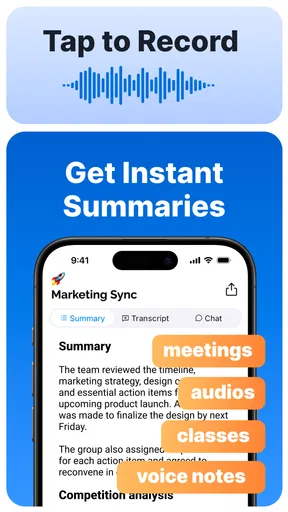
Now, let’s talk features. The app's main selling point is its ability to listen in on meetings or lectures and generate summaries. I tested this during a virtual meeting, and here's what I found:
- Real-time Transcription: As soon as I hit the "start" button, the app began transcribing everything in real-time. The accuracy was impressive, even with varying speaker accents.
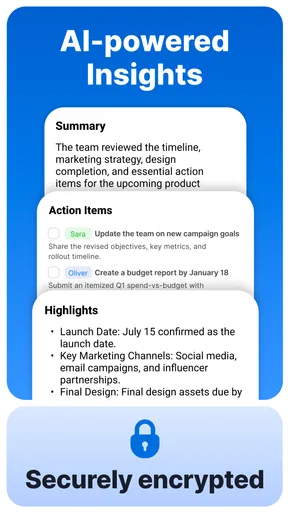
- Automatic Summarization: After the session ended, the app quickly processed the transcription to generate a concise summary. It did an excellent job highlighting key points without losing context.
- Shareability: Once the summary was ready, I could easily share it via email or other apps. This makes it super convenient for team collaborations or study groups.
Additionally, the app allows you to tag and categorize notes, which is great for organizing information from different projects or classes. It even offers cloud integration, so your notes are accessible from anywhere.
Practical Usage
So, how does this app fit into daily life? For students, it’s a game-changer. Imagine attending a lecture and being able to pay full attention to the professor while the app handles the notes. It’s like having a personal assistant taking notes for you.
For professionals, especially those in fast-paced environments, this app can be a lifesaver. In meetings where every detail matters, having an accurate summary at the end can save you from missing critical information. Plus, it frees you up to engage more actively in discussions.
Using the output carefully
The most common point of confusion is what to trust: the transcript or the summary. I’d use the summary to get oriented, then check the transcript whenever a decision, date, name, or commitment matters. That approach is especially helpful when people speak quickly, interrupt each other, or use specialized vocabulary. A concise recap is valuable precisely because it leaves things out, so it should not be the only record for a high-stakes discussion.
Another practical question is whether this suits someone who mostly takes short notes. In my view, probably not. If I only need to remember a shopping item or a simple reminder, opening a recording workflow adds friction. The app makes more sense when a conversation is long enough that manual notes would distract me or when I expect to revisit what was said.
For students, I’d use it as a study aid rather than a replacement for learning. A lecture summary can help locate the central themes after class, while the transcript can help find a definition or explanation worth reviewing. Rewriting the key ideas in your own words is still important; otherwise, a polished recap can feel familiar without proving that you understand the material.
For a small team, one considerate workflow is to record only when appropriate, review the output yourself, and share a cleaned-up summary with the people who need it. That gives colleagues a useful recap without asking them to sift through a long transcript. If a point is uncertain, mark it for confirmation instead of presenting the generated wording as a firm decision.
Who should choose it—and who should not
I’d recommend trying this app if spoken information regularly piles up faster than you can write it down: students reviewing lectures, professionals recapping discussions, or anyone who wants a searchable text trail from recorded speech. The combination of transcription and summaries addresses a specific everyday problem, and starting with one low-pressure recording is an easy way to judge whether it helps your own routine.
I’d skip it if you need a fully hands-off, authoritative set of minutes, if you rarely deal with long conversations, or if your work requires a recording process that the app has not been approved to handle. People who prefer handwriting or manually structuring every note may find a familiar notes app more predictable. And if accuracy is critical, no automatic output should go out without review.
Final Thoughts
In conclusion, Summary - AI Note Taker is more than just a note-taking app; it's a tool that enhances productivity and efficiency. Whether you’re a student, a professional, or anyone who needs to capture information quickly and accurately, this app is worth checking out.
The combination of real-time transcription, automatic summarization, and seamless sharing options makes it stand out in a crowded market. While nothing is ever perfect, and the app might occasionally miss a word or two, these minor hiccups are easily overshadowed by its overall performance.
So, if you're tired of juggling between listening and jotting down notes, give Summary - AI Note Taker a whirl. It might just become your new favorite tool!
Privacy and Permissions
See what permissions an app requests and how it handles your data.
- Contacts
- read your contacts, modify your contacts
- Phone
- directly call phone numbers, read phone status and identity
- Photos/Media/Files
- read the contents of your USB storage, modify or delete the contents of your USB storage
- Storage
- read the contents of your USB storage, modify or delete the contents of your USB storage
- Camera
- take pictures and videos
- Microphone
- record audio
- Wi-Fi connection information
- view Wi-Fi connections
- Device ID & call information
- read phone status and identity
- Other
- view network connections, pair with Bluetooth devices, access Bluetooth settings, full network access, change your audio settings, run at startup, control vibration, prevent device from sleeping, Google Play license check, read Google service configuration
Verdict
Strengths of Summary - AI Note Taker
- Seamlessly integrates with multiple platforms.
- Offers voice-to-text functionality with high accuracy.
- Organizes notes automatically by categories.
- Allows customization of note templates.
- Supports offline note-taking capabilities.
Limitations of Summary - AI Note Taker
- Limited export options for file formats.
- Subscription required for advanced features.
- Occasional lag in syncing across devices.
- Does not support handwriting recognition.
- No option for collaborative note editing.
Other Releases by Labhouse Mobile
View All
Invoice Maker - Invoice Fly
Business4.7
Similar Picks in This Category
View All
Google Calendar
Google LLC4.6

Google Drive
Google LLC4.3

Google Assistant
Google LLC3.9

Microsoft OneDrive
Microsoft Corporation4.6

Samsung Calendar
Samsung Electronics Co., Ltd.4.1

Microsoft OneNote: Save Notes
Microsoft Corporation4.6
Frequently Asked Questions
What is Summary - AI Note Taker and how does it work?
Summary - AI Note Taker is an app designed to help users capture and organize notes efficiently using artificial intelligence. It transcribes audio recordings in real time, summarizes key points, and organizes them in an easily accessible format. The app leverages AI algorithms to ensure accuracy and relevance in note-taking.
Is Summary - AI Note Taker compatible with both Android and iOS devices?
Yes, Summary - AI Note Taker is available for both Android and iOS platforms. Users can download the app from Google Play Store for Android devices and the App Store for iOS devices. It is optimized to function seamlessly on smartphones and tablets, ensuring accessibility across various devices.
Does Summary - AI Note Taker require an internet connection to function?
Summary - AI Note Taker requires an internet connection for certain features, such as real-time transcription and cloud synchronization. However, users can also take notes offline, which will sync automatically once an internet connection is reestablished. This flexibility ensures uninterrupted note-taking capabilities.
Are my notes secure with Summary - AI Note Taker?
Yes, Summary - AI Note Taker prioritizes user privacy and data security. The app uses encryption to protect your notes and personal information. Additionally, users have control over their data, with options to enable or disable cloud storage features according to their privacy preferences.
Is there a cost associated with using Summary - AI Note Taker?
Summary - AI Note Taker offers a free version with basic features available to all users. For those seeking enhanced functionalities, a premium version is available through a subscription model. This paid option provides additional features such as unlimited cloud storage, advanced AI capabilities, and priority customer support.
